
Configuration > Integrations
Integrations connect a CRM or application with the Smart Business Connect / Managed Business Connect. Incoming or outgoing telephone numbers are matched to any contact records in a CRM to present contact information including contact name, company or account name and additional notes.
Go Integrator Cara users can integrate with Google Contacts and Outlook Contacts.
The integration provides address book searching, incoming call preview information, manual and automatic contact popping and in many cases, activity logging.
Setup CRM Integration
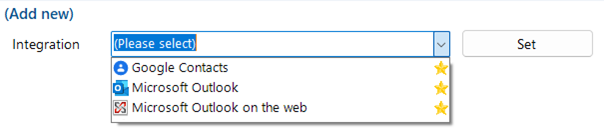
Select "(Add new)" to integrate with a business CRM application or address book.
Help
Detailed step-by-step guidance is provided online for each "Standard" integration-click "Help" to open the Integration guide
Check
After completing the integration setup, check the connection status of the integration to confirm a connection can be made:
Test
Test search by selecting "Test", enter the contact number, then select Search.
Options
Additional options are available, depending on the specific integration selected:
Caching
If the application allows it, the contact database can be downloaded and cached to accelerate contact searches for matching telephone numbers.
The frequency of downloading the data can be configured between 1 – 100 minutes.

The Status shows when the last download occurred and how many records were downloaded.
Automatic Popping
Any integration can individually be configured to automatically pop matching contact entries on incoming calls, either during ringing (as soon as the call is presented) or when connected (after answering the call).
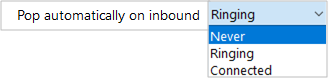
Manual contact popping is still available to other integrations. For example, if only 1 out of 4 configured integrations is set to pop automatically, contacts found in any of the other 3 integrations can be manually opened using the associated icon.
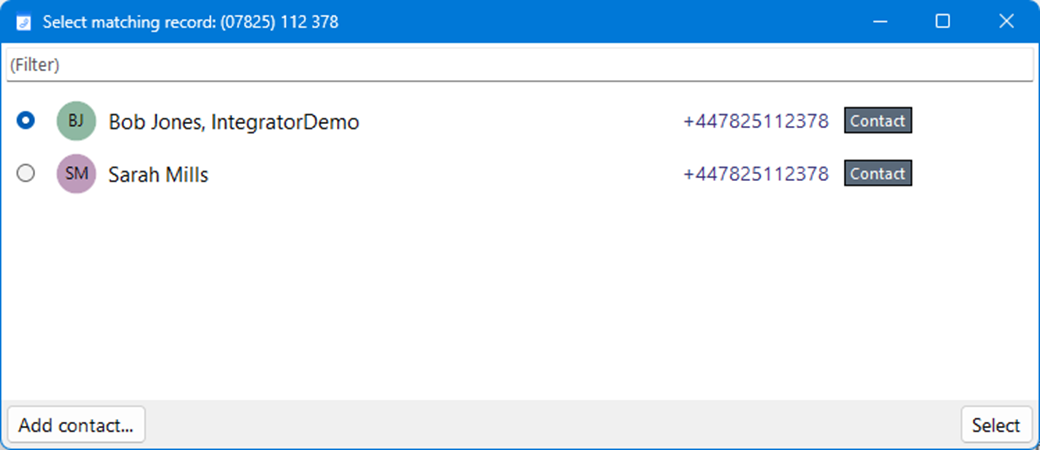
If the same phone number is found within multiple contact records then the Preview Window or Call Toolbar will present both the first match found and also include any additional matching names. The Show Contact buttons will be presented for each address book where a matching record is found. When multiple matching records are found within the same address book, the Show Contact button will display a list of matching entries to select from after identifying the caller.
 Report this page