
Configuration > Log
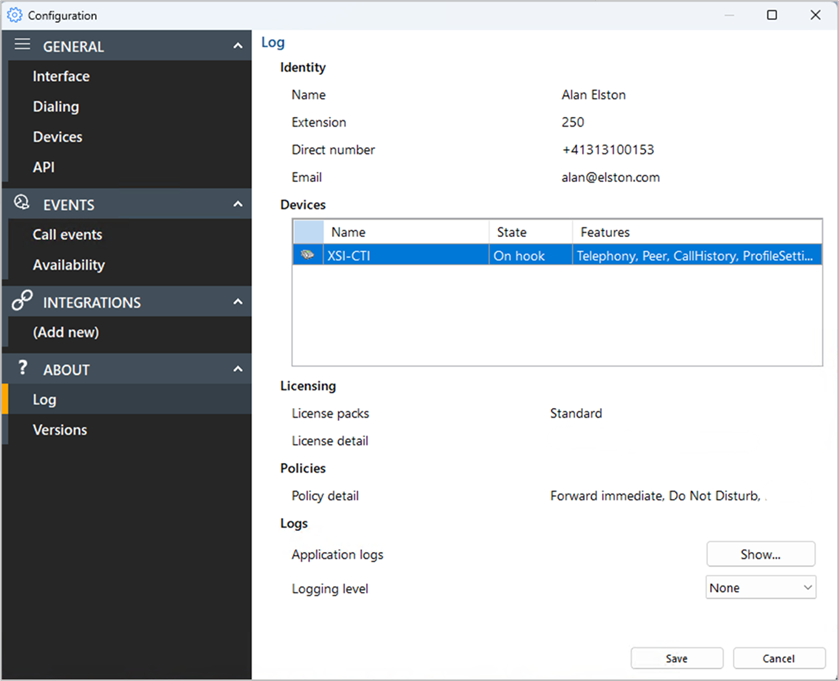
The Log section contains important details about the client, user and software configuration:
Identity
Displays current users Name, Department, Extension number, Direct Dial Number and Email address. NOTE: Depending on initial setup, not all user information will be displayed
Devices
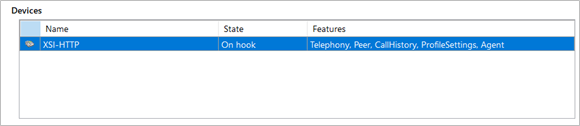
Displays information about connected telephony devices:
Licensing
Displays the licensing detail and included features of both the Smart Business Connect / Managed Business Connect and Go Integrator user profile
Policies
Displays the policy details and enabled features of the Smart Business Connect / Managed Business Connect user profile
Logs
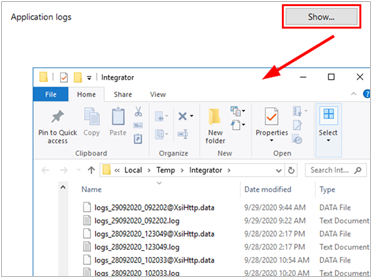
Select "Show" to open the application log file location for support escalations and issue resolution:
Logging Level
Enable additional log data (when requested by technical support)
 Report this page